Overview
Workiva, a leading provider of connected reporting and compliance platforms, hosts an annual user conference—formerly known as The Exchange Community and now called Amplify—drawing over 2,000 attendees.
The Workiva User Conference brings together professionals dedicated to increasing trust in their data and mitigating organizational risk. Attendees benefit from training sessions, professional development opportunities, CPE (Continuing Professional Education) credit programs, and networking with peers, thought leaders, and Workiva experts in accounting, finance, reporting, and compliance.
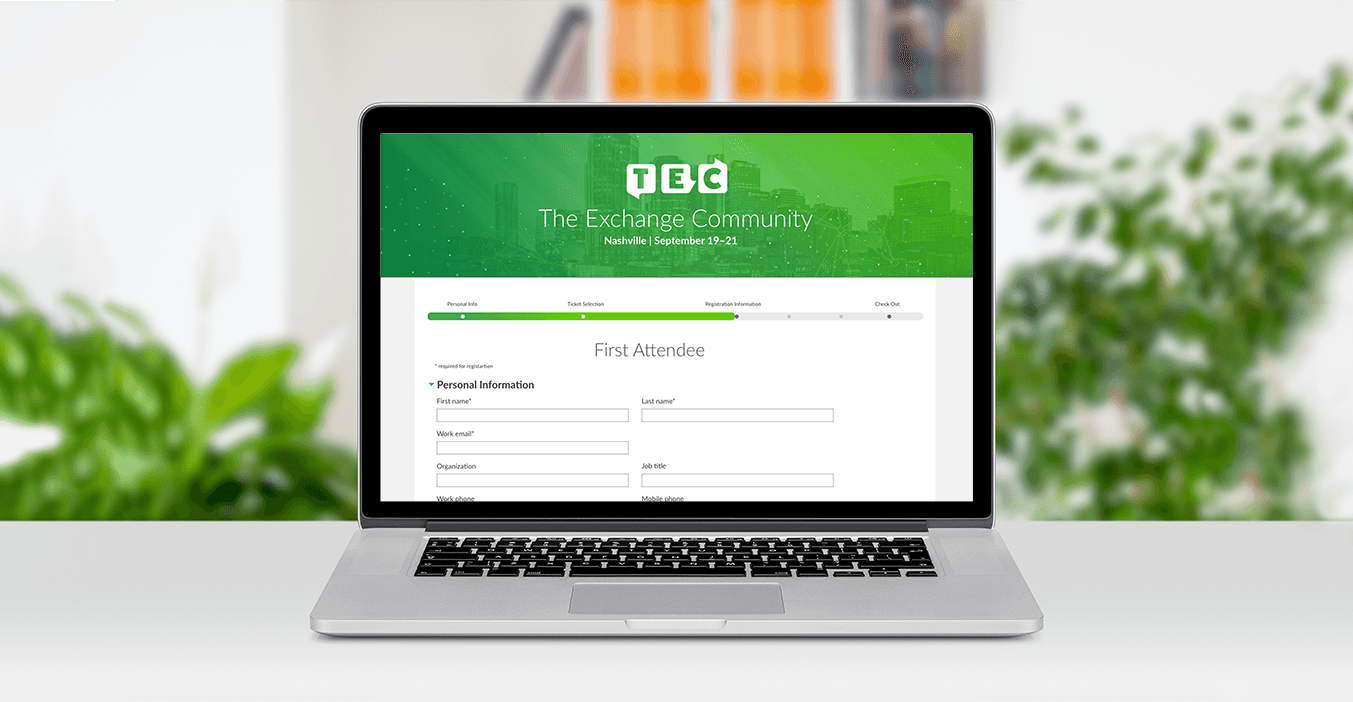
By analyzing our existing processes, conducting competitor research, creating wireframes, and performing usability testing, we developed an in-house registration system tailored to our needs.
Role
Product Designer, UX Research
The Team
UX Design, Marketing Events Team, Web Development, and Digital Marketing
Tools
Adobe XD
The Problem
The existing registration system relied on outdated third-party technology with limited customization options, leading to a confusing user experience and frequent issues that required manual intervention. Given that the conference primarily serves accountants who must earn CPE credits annually, it was essential to develop a more effective system that could resolve these challenges while adhering to CPE course approval guidelines.
Additionally, an analysis of incident reports and a series of interviews were conducted to gain insight into what features were missing from the current platform and key issues users ran into while going through the registration flow.
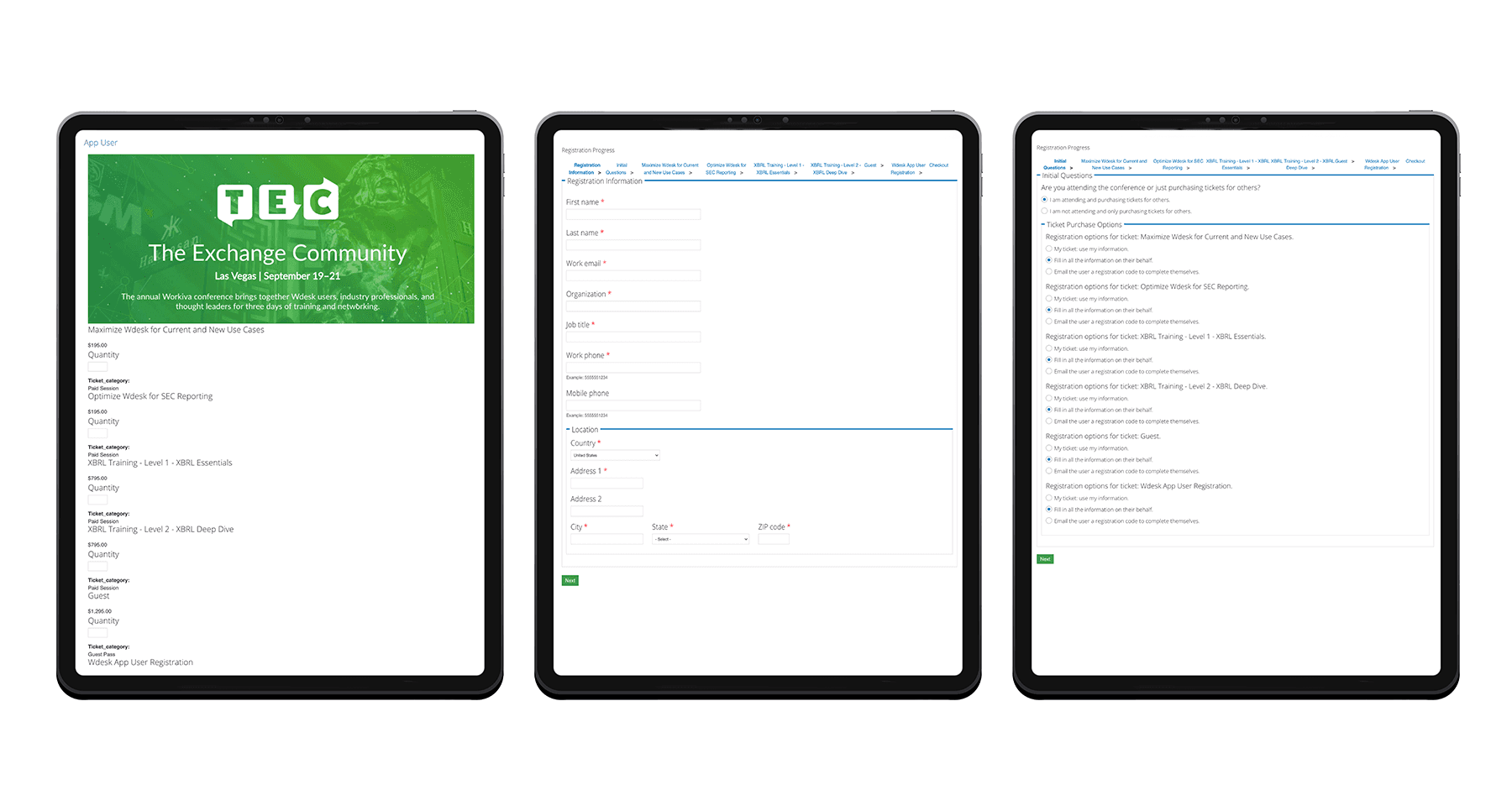
Legacy registration system
Discovery
Our goal was to identify critical issues in the registration process and define essential features needed for a seamless conference registration experience.
Competitive Analysis & User Research
Our team conducted a feature inventory comparison to evaluate the strengths and weaknesses of both direct competitors and comparable platforms. This analysis focused on key aspects of the registration process, including the registration flow, agenda builder, checkout experience, and session details.
Direct Competitors
Certant Summit, Domopalooza, Work Day Rising, Tableau, InTheBlack
Comparators
Adobe MAX, Autodesk, Microsoft Ignite, Oracle Open World, Nike, Patagonia
Key Takeaways
The insights gained helped us identify gaps in competitor offerings and determine the essential features to enhance our registration flow and agenda builder. Many direct competitors' registration flows required approval before completing registration. However, those we were able to access often lacked clear content hierarchy.
Larger conferences typically organized sessions by date or track, incorporating multiple filters for easier navigation. While many offered various pass types with timing-based promotions instead of code-based discounts, some used icons or color coding to represent tracks. Unfortunately, these visual cues were often unclear to new users, making them less effective.
Problem Statement
How might we simplify and optimize the registration process to enable users to complete it independently, without the need for assistance?
Customer Journey
In addition to the competitive research, we analyzed incident reports and customer and core event team interviews were conducted to gain insight into what features were missing from the current platform, identify key issues in the current flow, and identify the types of users to consider.
Pain Points
System only allowed for conference registration + check out
Course registration was done through a different system
Generic email confirmations resulted in off-brand communication and came off as not-trustworthy
Limited branding on registration site
Registration flow complicated and confusing to users
No option to input if registering for another person
Group discounts had to be applied and issued manually after registration completed
Not able to join waitlist for booked courses or see current capacity of courses
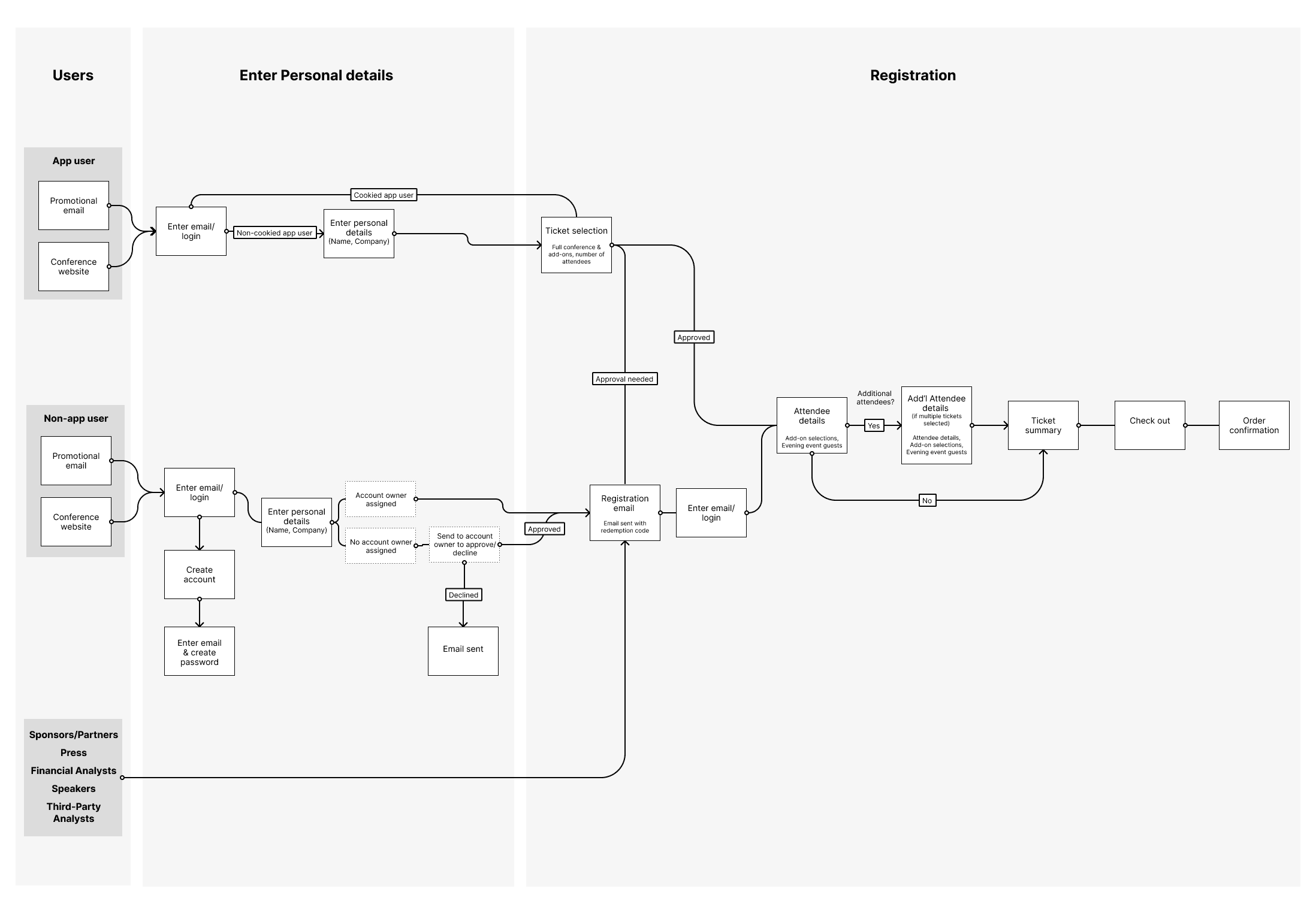
In the discovery with the events team, we identified four major users to solve for in the registration flow and check out.
Users
Non-app users (prospects)
App-users (customers)
Non-attendee (Sponsors/Partners, Press, Financial Analysts, Speakers, Third Party Analysts)
Employees
High Fidelity Wireframes & Usability Testing
A series of hand-drawn sketches were created to quickly explore and test basic content hierarchy, layout options, and user flows. This low-fidelity approach allowed for rapid iteration and early feedback. These sketches were then translated into high-fidelity wireframes to validate user comprehension, assess the clarity of the registration process, and refine the visual design.
Usability Testing
Using the high-fidelity wireframes, we conducted usability tests to identify friction points, areas of confusion, and potential drop-off risks within the registration flow. Insights from these tests guided refinements and informed design decisions for the final registration experience.
Usability Tasks:
Complete a group registration through checkout.
Register for two available courses on Tuesday and read the speaker biography for 'John Smith.'
Key Findings and Results:
In the original wireframes, the checkout process appeared immediately after ticket selection, leading to confusion when users were later prompted to enter personal details. To resolve this, the checkout was moved to the end of the process to better align with familiar retail checkout patterns.
Within the agenda builder, users expressed uncertainty about course availability and whether sessions were offered at additional times. The initial filtering options did not effectively match how most users preferred to search for sessions, indicating the need for more intuitive and flexible filtering tools.
Final Product & Key Outcomes
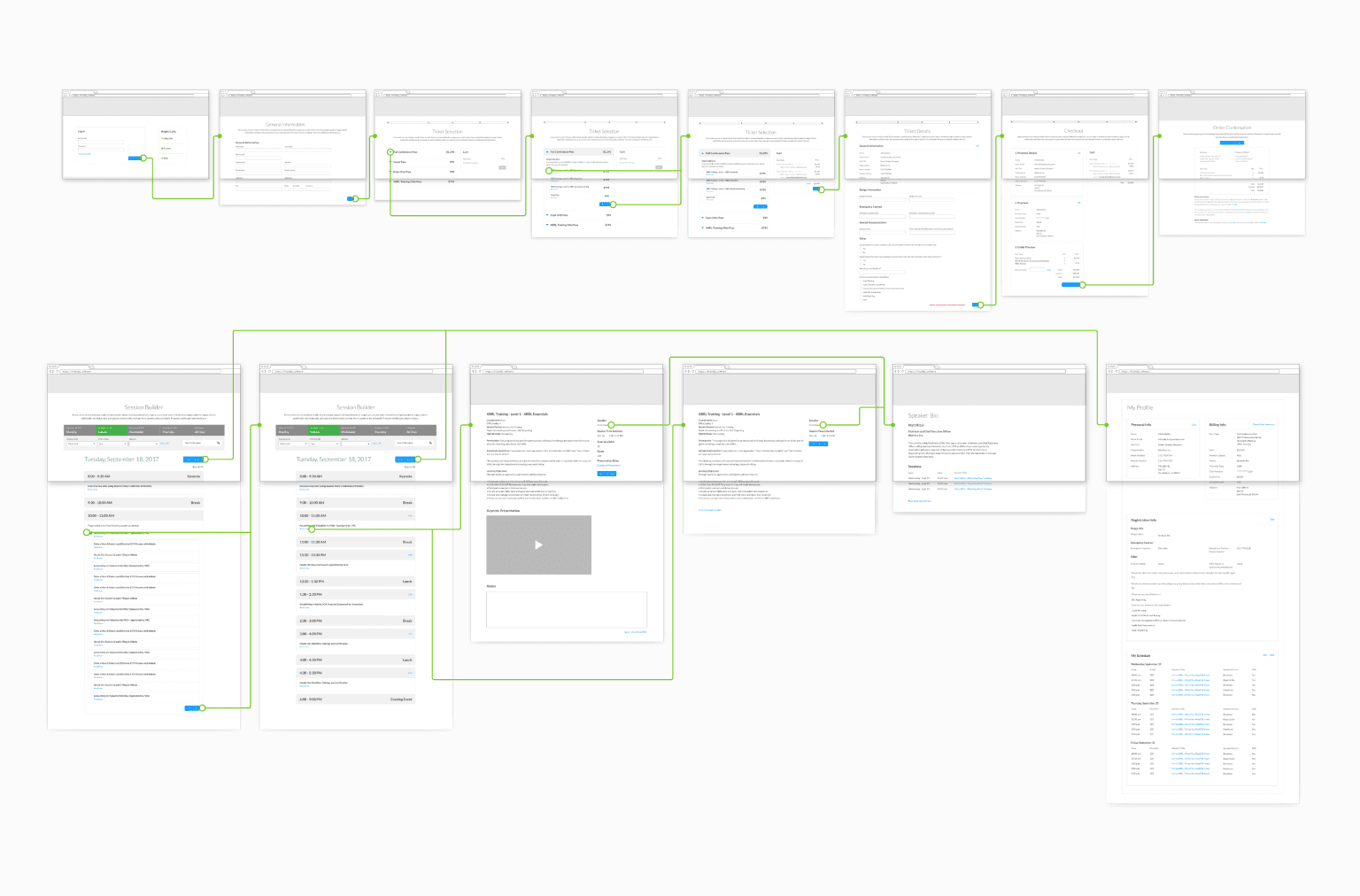
After analyzing the insights gathered from usability testing, we refined the designs and moved into production and development of the final registration system.
Given the complexity of the registration process—and with over 90% of users completing registration on desktop devices—we prioritized a desktop-first design approach to ensure optimal usability and performance.
Final Deliverables:
The completed registration platform provided a streamlined, intuitive experience that allowed users to independently complete registration without assistance. Key features included:
End-to-End Registration Flow — A simplified, step-by-step process guiding users from ticket selection to confirmation.
Checkout & Payment Processing — Secure, retail-inspired checkout experience placed at the end of the process for clarity.
User Profiles — Ability for users to create and manage profiles for easier future registrations.
Speaker Bio Pages — Dedicated pages showcasing speaker details and credentials.
Session Detail Pages — Comprehensive information about each session, including descriptions and logistics.
Agenda Builder — Interactive agenda tool allowing users to filter, browse, and select sessions by date, track, or topic.
Session Waitlisting — Option for users to join waitlists for full sessions.
Promotional Add-ons — Ability to include optional add-ons, such as special events or additional materials, during registration.
This comprehensive solution not only streamlined the user experience and ensured compliance with CPE credit guidelines, but it also significantly reduced the need for customer support—cutting event team registration-related inquiries by 40% compared to the previous year.